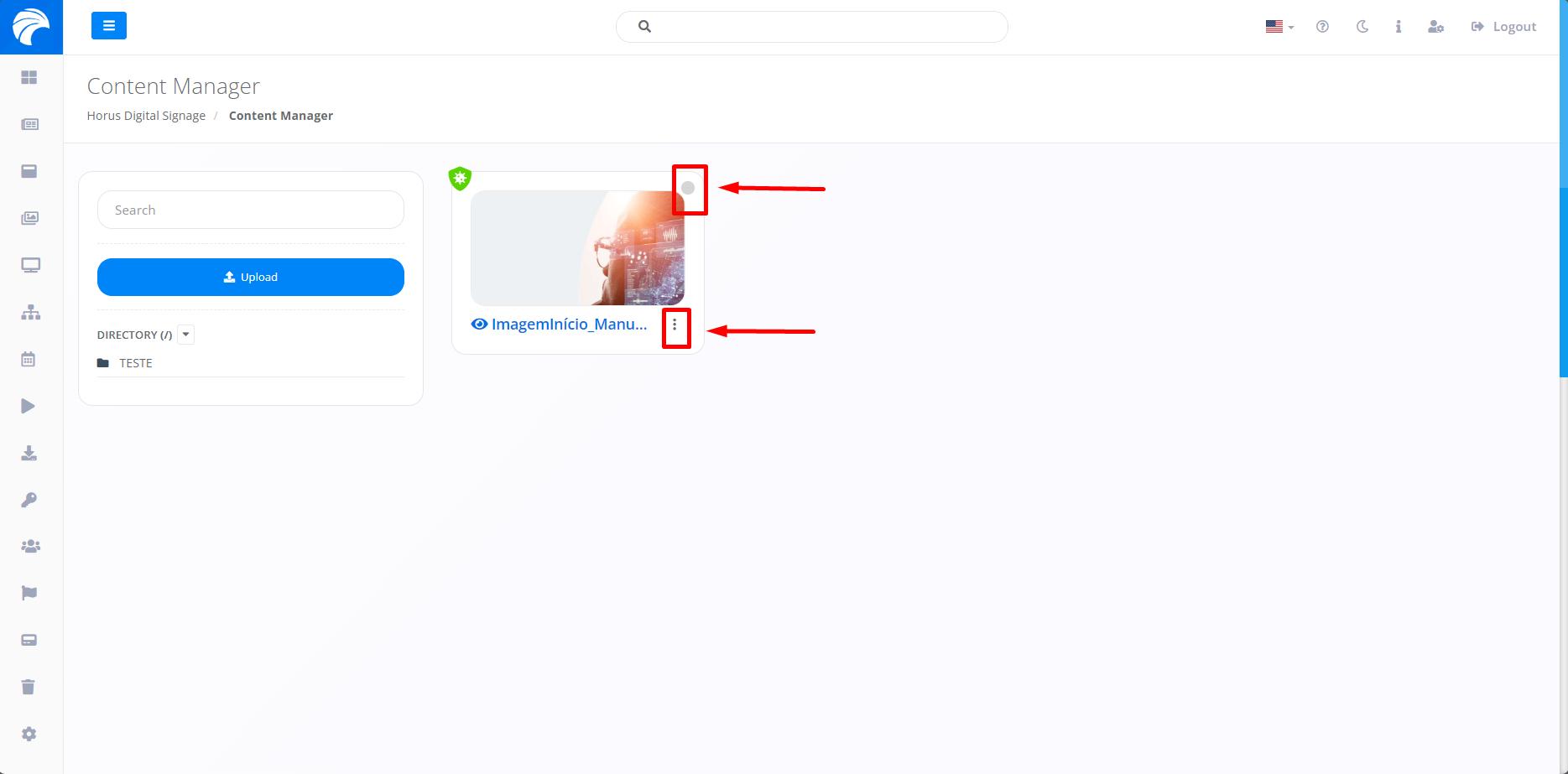
Removing Content
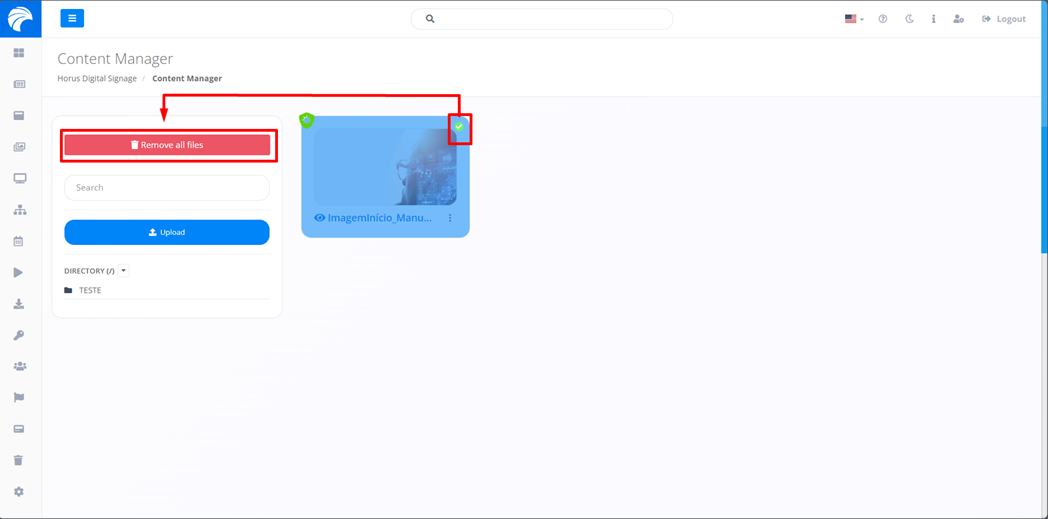
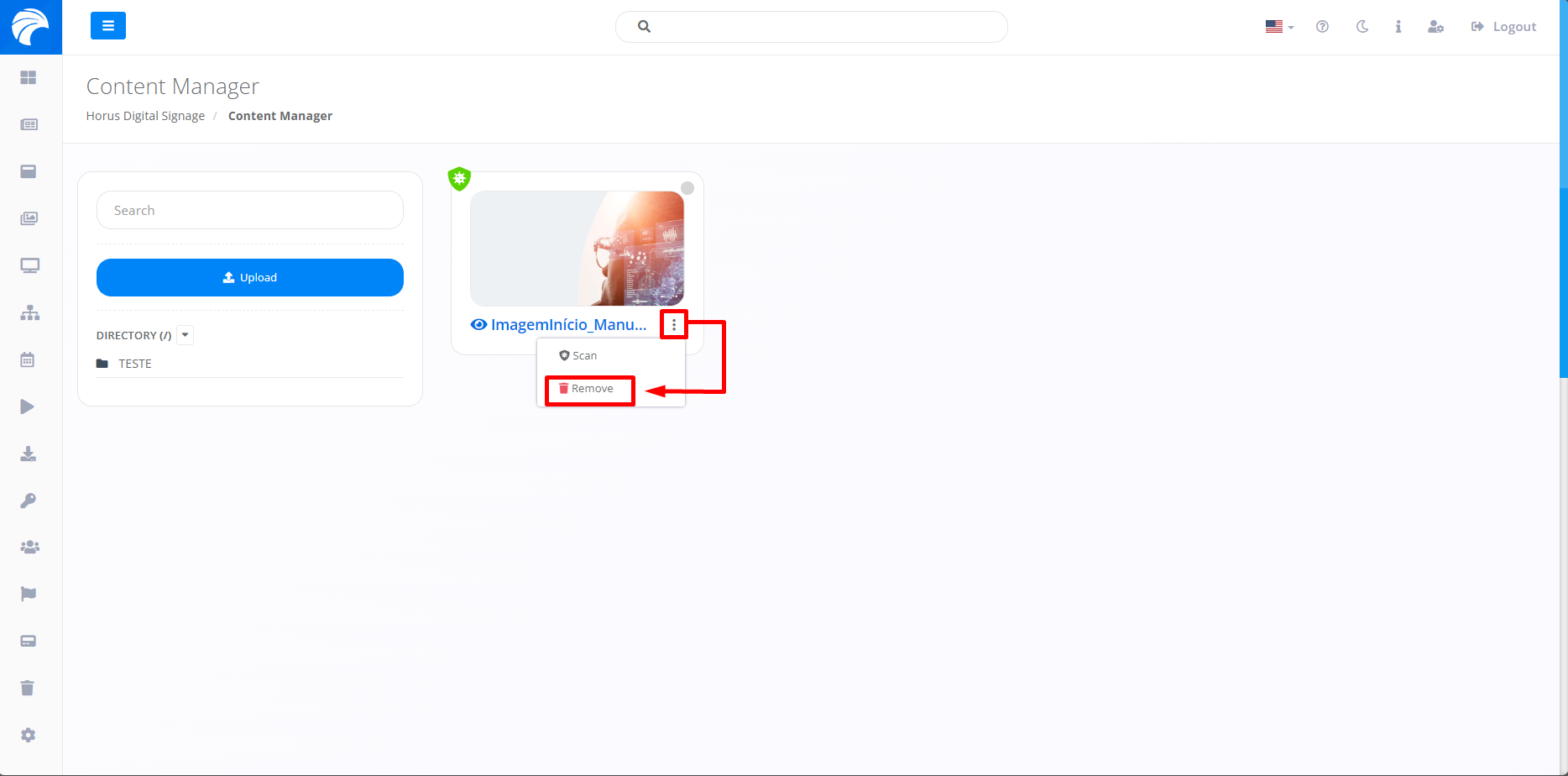
By following the steps described above, the selected file will be uploaded. To remove the Content, you can select one or more items by clicking on the demarcation above the Content of your choice, or click on the three dots next to the Content you want to delete. Both options allow you to remove Content, the difference being that the first allows you to select and delete multiple items at once, while the second allows you to remove just one item at a time.
Once you have selected the Content, simply click on "Remove all files" to remove the previously selected Content.
When you click on the three dots, just click "Remove", and only the selected Content will be removed.
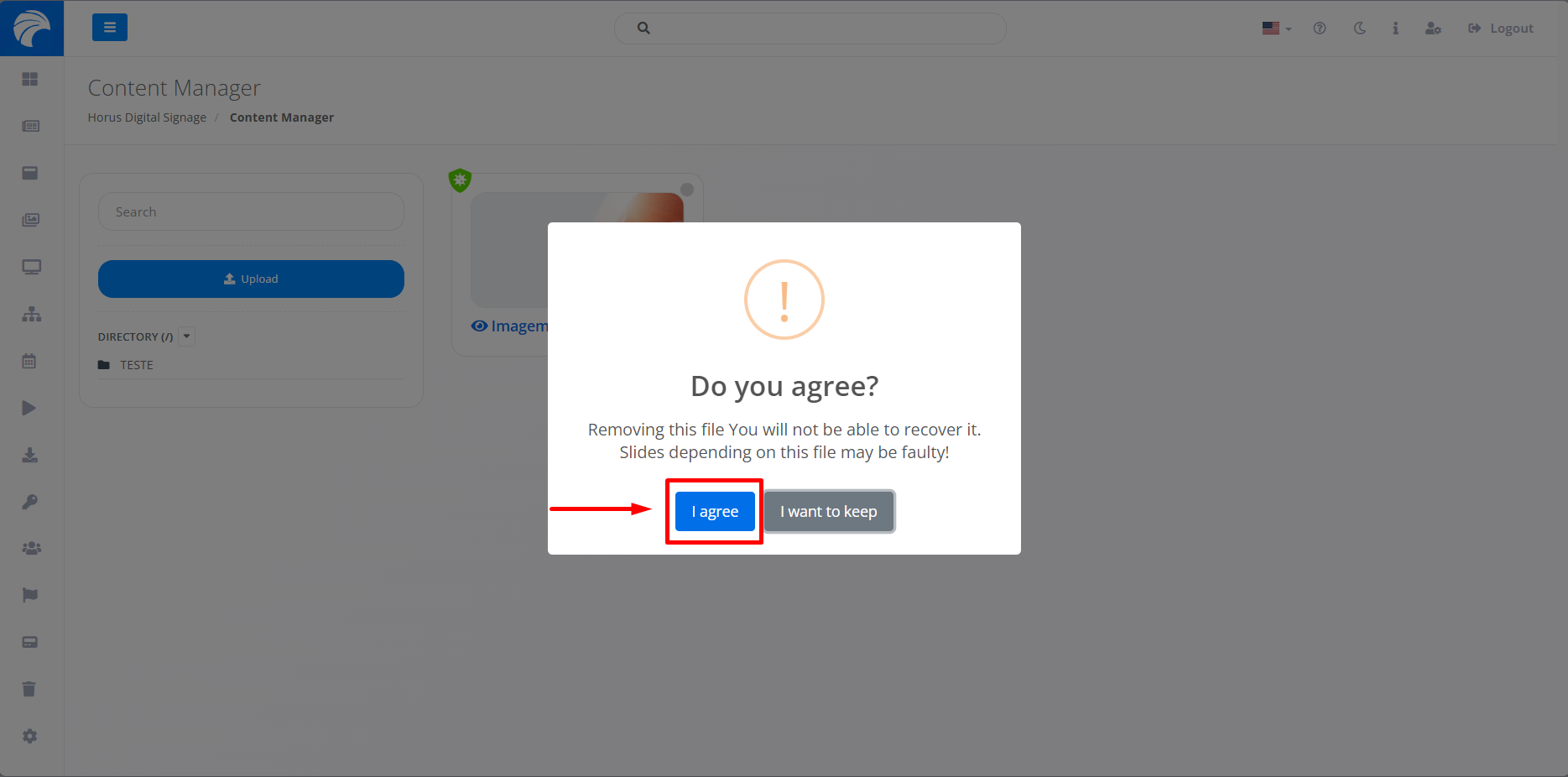
If both options are selected for removal, the system will display a pop-up asking you to confirm that the Content has been removed, so remove the content by clicking "I agree".